Typing Breaker: Robot Challenge

Typing Breaker: Robot Challenge

Developer: Entrance Edge Creations
Published: 2024-06-08
Updated: 2026-06-06
Educational Skill Building

Reviews

Code Breaker vs Robots turns typing practice into an engaging challenge. With 5 levels and random words, it keeps each session fresh. The robot theme adds excitement without being intense. It is ideal for improving speed and accuracy in a safe, educational environment. The game is well-designed and easy to pick up.

About this game

Game Introduction

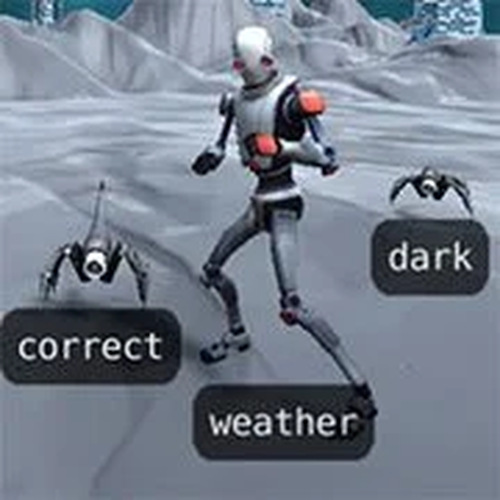
Typing Breaker: Robot Challenge is a sci-fi typing game designed to help improve keyboard skills. As a code breaker, you face robot adversaries and must type words to activate defenses and protect yourself. The game features 5 distinct levels, each introducing new robot types such as spider crawlers, flying droids, and bionic walkers. With randomly generated words every time you play, you can practice endlessly without boredom. Developed by Tedium Interactive, this game is perfect for anyone looking to enhance their typing speed while enjoying a futuristic setting.

How to Play

In Typing Breaker: Robot Challenge, your goal is to stop advancing robots by typing the words displayed on each enemy. As robots approach, a word appears above them. Type the word correctly to activate a defense and stop the robot before it reaches you. You have four lives, so be careful. The game has 5 levels, and each level gets harder with faster robots and more complex words. Words are randomly generated, ensuring a fresh challenge each time. Keep your fingers tapping and your focus sharp to survive the robot encounter.

Game Features

Typing Breaker: Robot Challenge includes a fun sci-fi theme, 5 levels, randomly generated words, 4 lives, and multiple robot types. The game provides an engaging way to practice typing with varied challenges.

Tips for Success

To excel in Typing Breaker: Robot Challenge, practice regularly to build muscle memory and increase your typing speed. Focus on accuracy first, as correct typing stops robots effectively. Learn the keyboard layout to minimize looking at keys. Stay calm under pressure, as faster robots require quick responses. Use the random word generation to expose yourself to diverse vocabulary. Finally, take breaks to avoid fatigue and maintain concentration.

✅ Compatibility & Testing

• Desktop (Windows 11, macOS Ventura)
• Mobile (iPhone 14, Samsung Galaxy S23)
• Tablet (iPad Pro, Android tablet)
✅Supported browsers: Chrome, Safari, Edge, Firefox (latest versions)
❌ Not supported: Internet Explorer, older browser versions
Advertisement

Faq

Is Typing Breaker: Robot Challenge suitable for all ages?
Yes, the game is designed to be family-friendly and educational. Its sci-fi theme and typing practice make it appropriate for children and adults alike. However, younger players may need assistance with more complex words.
Can I play Typing Breaker: Robot Challenge on mobile devices?
The game is typically designed for desktop or laptop computers with a physical keyboard, as typing is the core mechanic. Mobile support may vary, so check the platform's requirements before playing.
Does the game track my progress or typing speed?
While the input does not specify progress tracking, many typing games of this type include features like score tracking or speed metrics. You may be able to monitor your improvement over time through in-game feedback.
Are there different difficulty modes in Typing Breaker: Robot Challenge?
The game includes 5 levels that progressively increase in difficulty, with faster robots and more complex words. This provides a natural difficulty curve without separate mode selections.
Can I play Typing Breaker: Robot Challenge offline?
This depends on how the game is accessed. If it is a web-based game, an internet connection may be required. If it is a downloadable application, offline play may be possible after installation.
What happens if I run out of lives in Typing Breaker: Robot Challenge?
You have four lives to complete the game. If you lose all lives, you will likely need to restart the current level or the entire game, depending on the game's design. This encourages careful play and practice.

Similiar Product

Word Sprint Typing Challenge

Educational

A fun typing game that boosts speed and accuracy. Great for kids and adults alike.

PLAY NOW

Typing Breaker: Robot Challenge

Educational Skill Building

A fun typing game with robots that makes practice enjoyable and effective for all ages.

PLAY NOW

Truck Factory Kids Puzzle

Kids Educational Puzzle

Bright, engaging puzzles that teach vehicle assembly. Safe and easy for young children to play independently.

PLAY NOW

Little Gardener Kids Game

Kids Educational Casual

A sweet gardening game that teaches kids about plants and giving. Simple, safe, and heartwarming.

PLAY NOW